Viewing the Waveform Recording
To view the recording you just made, follow these steps:
- Click Tools in the NavBar, then select Recordings.
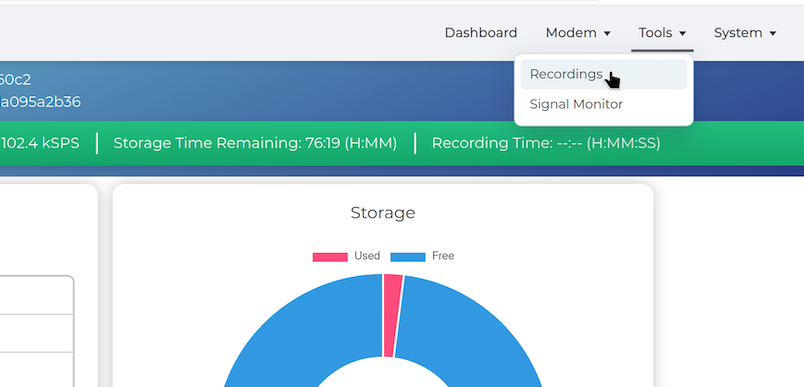
The Recordings page lists saved WAV files with their size and date.
- Click the desired recording to inspect a recording in the Waveform Viewer.
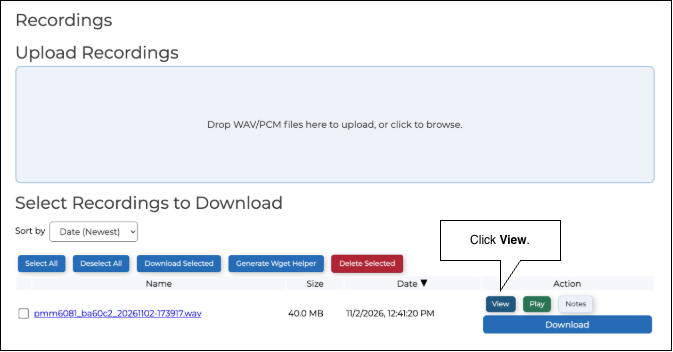
The Waveform Viewer displays both the waveform and spectrogram.
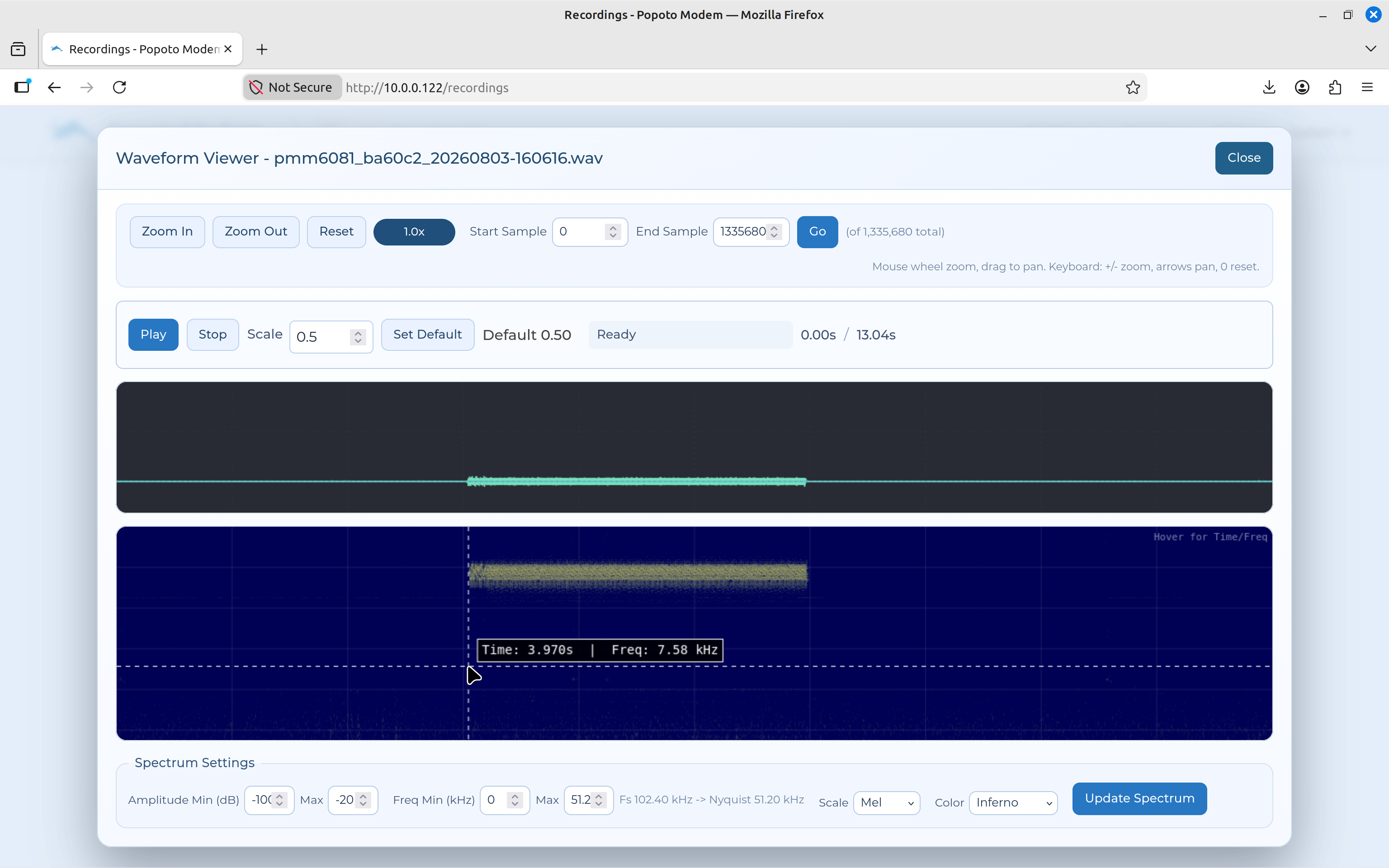
Use the zoom, scale, and display controls to inspect the recorded transmission
- Click Close to return to the Recordings page.
For more details, refer to Managing Audio Recordings.
For an example use of the Popoto recording capabilities, refer to Recording Use Case - Test Modulation Scheme.
Final Step - Reset Local and Remote IDs
Before deploying the modems, reset each modem's Local ID and Remote ID to the default of 255. Go to Tools > Pshell and enter:
LocalID 255
RemoteID 255
Congratulations! You have now completed a basic end-to-end test: both modem interfaces are reachable, a message has been transmitted and decoded, the signal has been observed, and the modem audio has been recorded and reviewed.