Recording Modem Audio
Recording modem audio lets you review the acoustic signals and background noise present during a test or deployment. These recordings can help you troubleshoot missed messages, identify interference, and compare signal conditions as you change modem settings or placement. Saving the audio also provides a record for later analysis.
-
Return to the Dashboard.
The recording controls are located beside the status indicator near the upper-left corner of the interface. When the modem is idle, the dashboard status bar reads Recording: Idle.
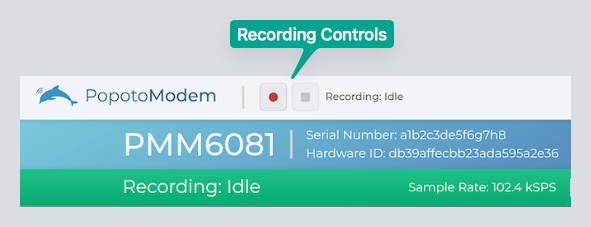
Recording Controls in the Popoto Web UI. -
Click the Start Recording control to begin recording.
The status bar changes to red and reads Recording: Active and displays the sample rate, remaining storage time, and elapsed recording time.
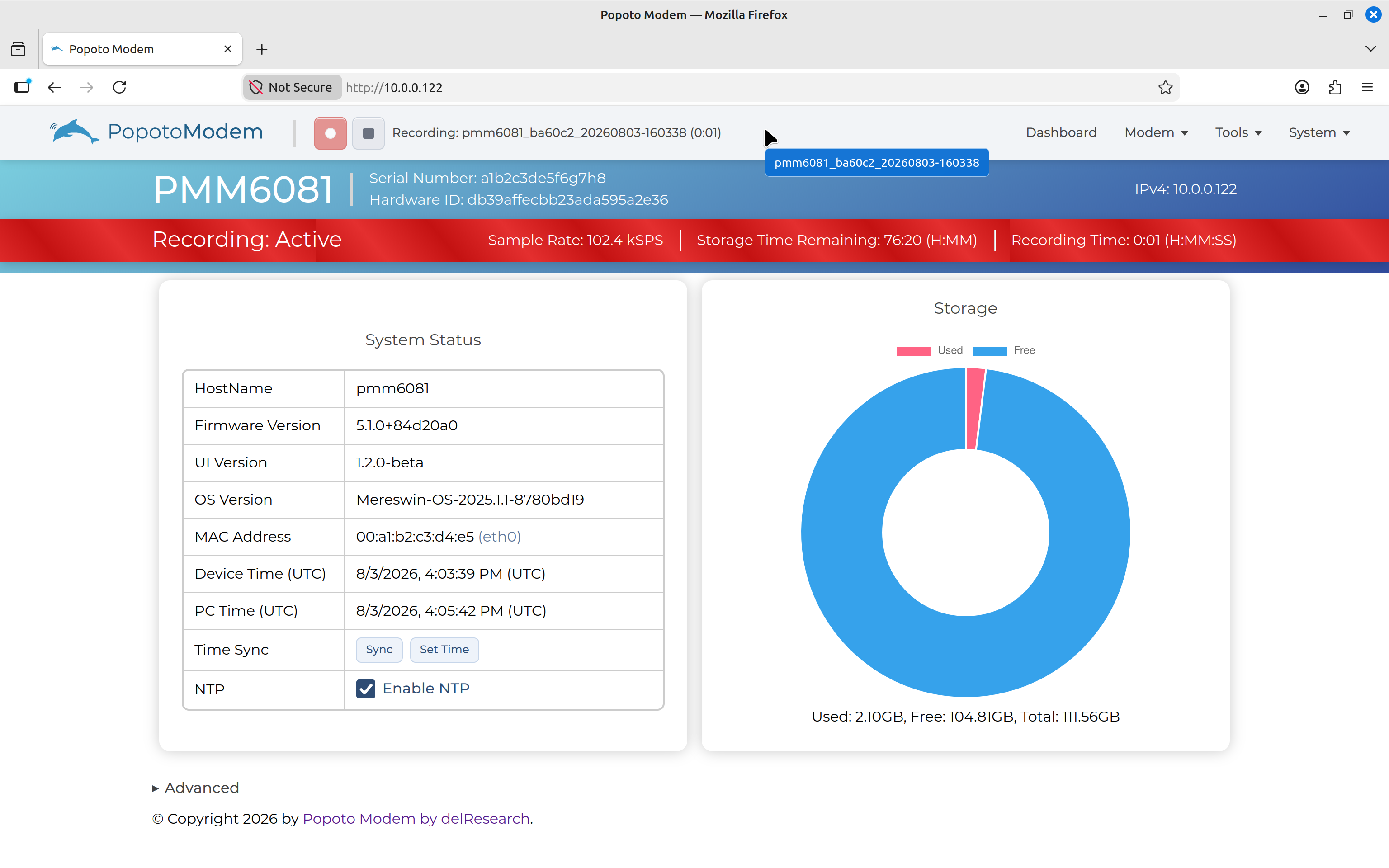
Starting a Recording in the Popoto Web UI. -
Send a transmission from your other modem.
-
Click the Stop Recording control when finished.
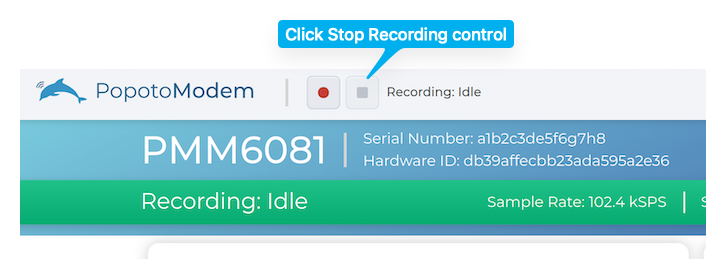
Stop Recording. After the recording stops, the status bar returns to Recording: Idle.
Next: Now we'll view the waveform recording to review the acoustic signals and background noise captured during the test.
Continue to Viewing the Waveform Recording.