Updating Firmware Image Using Universal Update Utility (UUU)
Ubuntu 22.04 Instructions
To reprogram the EMMC flash on a PMM6081 board:
- Set the DIP switches as shown below:
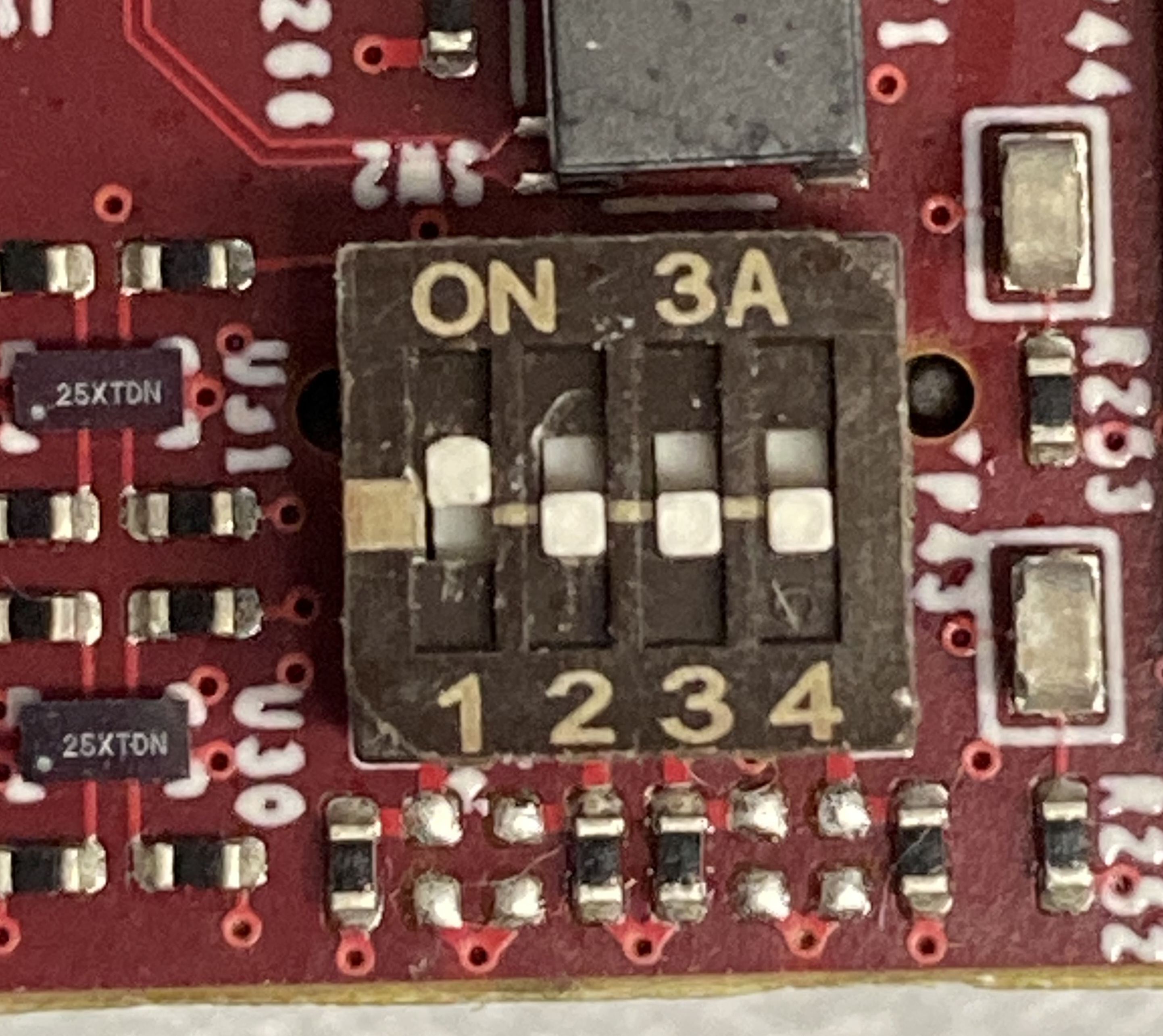
note
DIP Switch positions 3 and 4 are not present on the PMM4511 and they are not used on the PMM6081 and PMM5544. The settings are the same for all three models.
- Run the following UUU command:
sudo uuu -v -b emmc_all ./imx-boot ./pmm6081-image-pmm6081.wic
note
To program a board on a specific USB port, use the -m argument followed by the USB port:
sudo uuu -m 1:1 -v -b emmc_all ./imx-boot ./pmm6081-image-pmm6081.wic
- Reset the DIP switches to the run-code position:
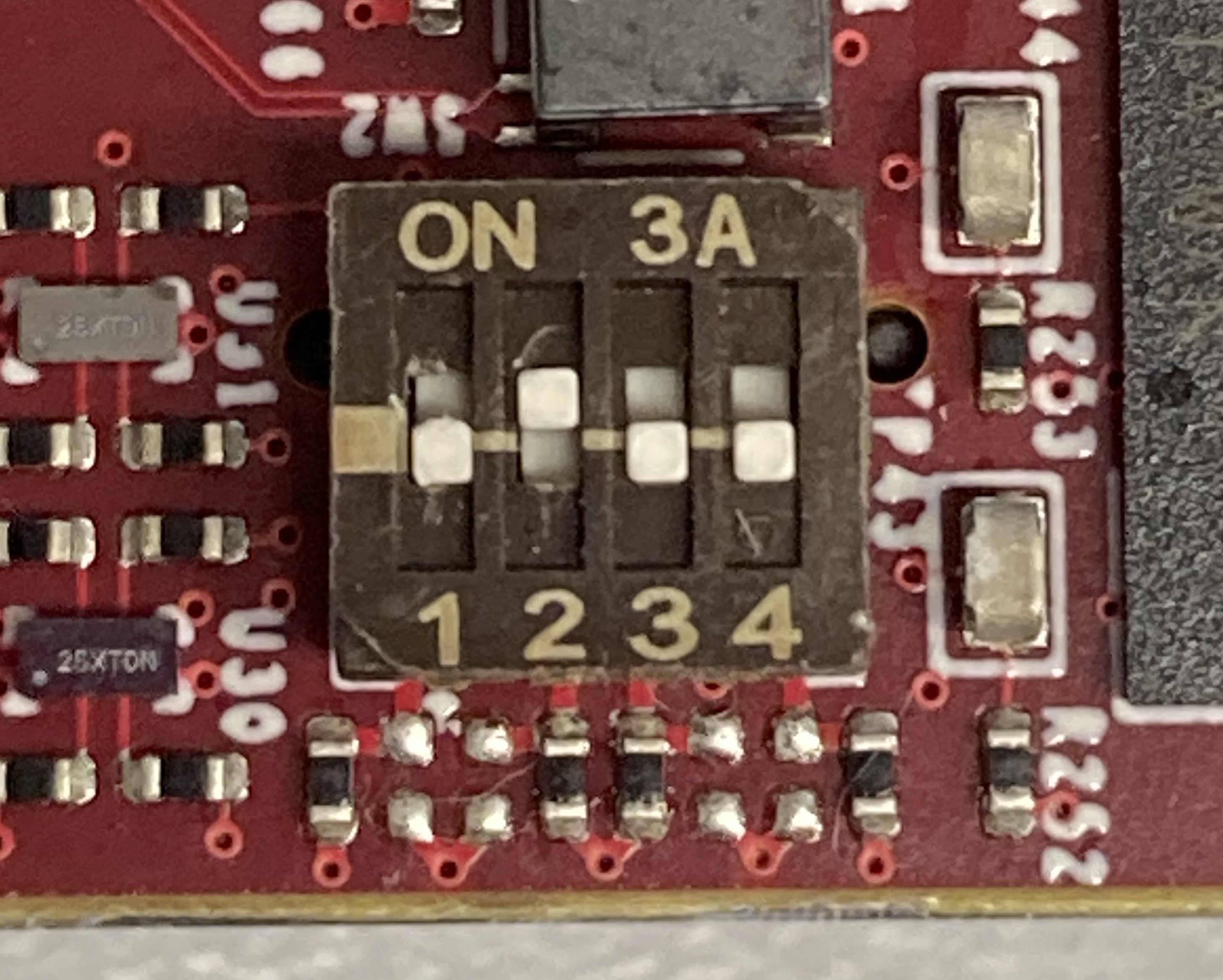
note
DIP Switch positions 3 and 4 are not present on the PMM4511 and they are not used on the PMM6081 and PMM5544. The settings are the same for all three models.
Programming time
This standard UUU process is slow and may take about 30 minutes. See Using Fast UUU Upload for a faster update utility.