Preparing the Modem
In order to boot your modem in EMMC flashing mode, some configuration is necessary.
-
Set the DIP Switches to Flashing Mode.
On the top of the modem's digital board, near the 14-pin connector, locate the multi-switch configuration panel. Configure the switches as follows:
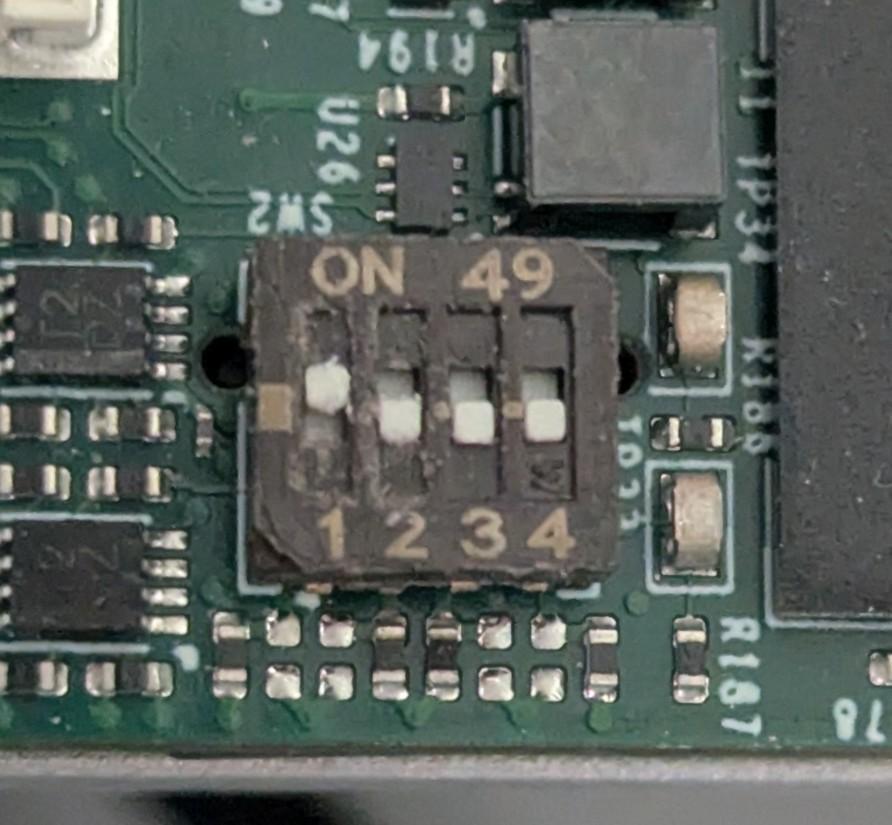
DIP switches set to eMMC flashing mode. 1 0 0 0ON - OFF - OFF - OFFnoteDepending on your hardware revision, your board may have two switches instead of four. If this is the case, set the first one to ON and the second to OFF,
-
Connect power to the modem. Refer to Power Interfaces in the Interface Control section for details.
-
Connect the USB cable from your development computer directly to the modem's main processing board.
noteBe sure to use the USB port on the modem itself. Connecting to an external interface board will not allow for flashing.