PCM Logging
Introduction
The Popoto system can log inbound PCM signals as seen on the A/D. This logging mechanism is useful for diagnosing system problems.
The logged PCM signals are exactly what is presented to the demodulator, making it possible to re-run a test condition to determine signal parameters or noise environment.
Two logging methods are provided:
- TCP socket-based logging
- Target file logging
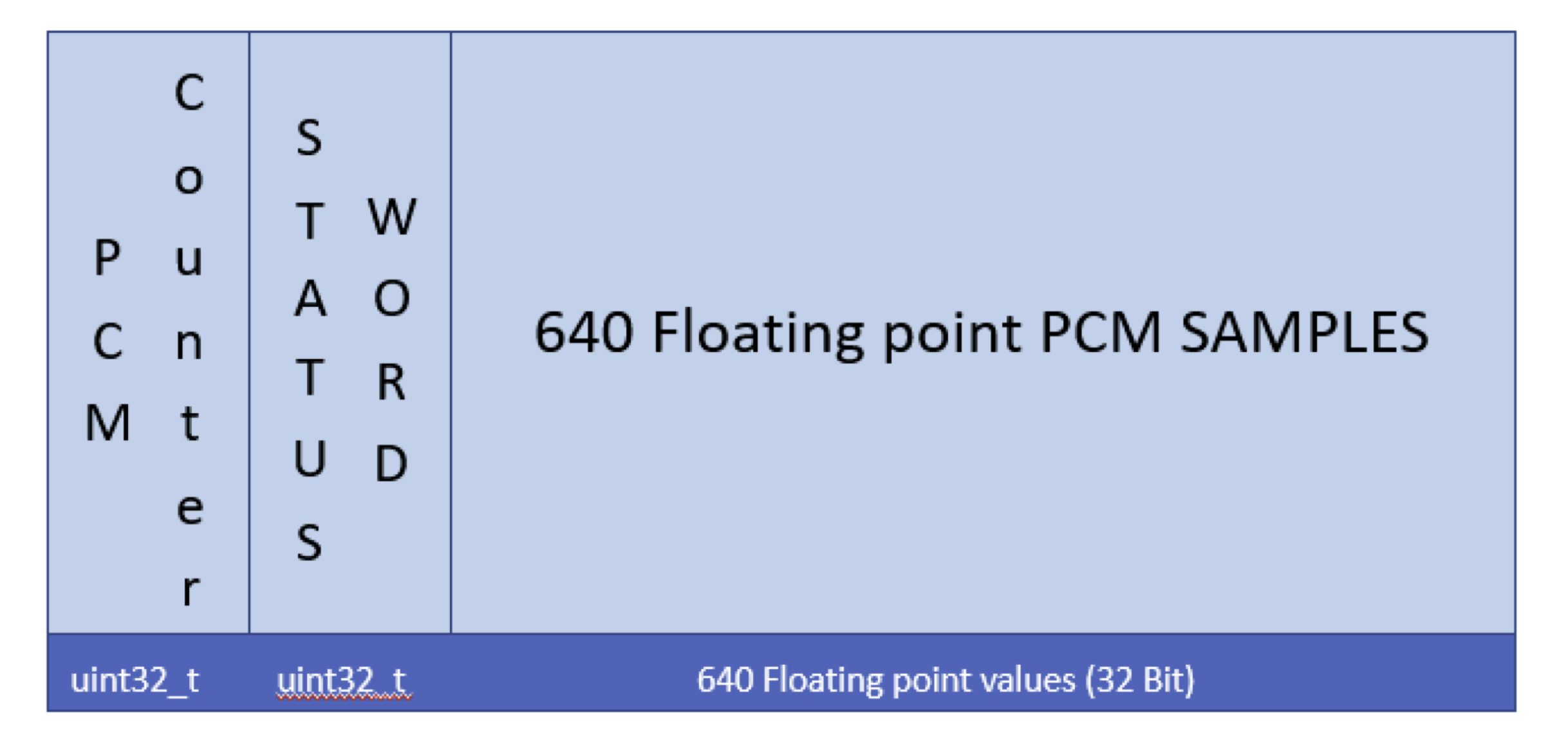
Each method produces a data stream of packets formatted as follows.
| Count | Data Type | Description |
|---|---|---|
1 | 32-bit unsigned int | PCM counter. Gives the current PCM counter. This should increase by 640 each frame. A skip in this count indicates lost data. |
1 | 32-bit unsigned int | Status word. Currently, 0 indicates the high-gain channel and 1 indicates the low-gain channel. |
640 | 32-bit floating point | PCM samples. All samples are normalized to high-gain receive level. |

Socket-Based PCM Logs
The Popoto system opens a TCP server at baseport + 2, which is 17002 by default. This server continually streams PCM packets as described above.
Both the Popoto.py and Popoto.m interface classes include functions to read that socket and log the data to the local PC.
From pshell, run:
recordstart <Filename> local
This starts the recording in the current working directory.
To stop the recording from pshell, run:
recordstop
Target File-Based PCM Logs
The Popoto system also provides a command to store received PCM data locally.
Use this command to start logging data to the local SD card:
RecordFileStart <FileName>
If the filename is specified without a path, it is recorded in /home/root. Paths should be complete paths. Wildcards are not parsed.
From pshell, run:
recordstart WaterTestCapeCodCanal2_20.pcm
This begins a recording on the Popoto unit in the /home/root directory.
To stop the recording, send a RecordFileStop command on the command socket. Or, from pshell, run:
recordstop
A MATLAB utility, rPCMData(), is provided in the test/MATLAB GUI directory. This utility can read a file logged by pshell or by target recording and returns three arrays:
- PCM data
- PCM counter, or sequence number
- Status word
Notes
PCM recording generates data very quickly. Each packet is 642 x 4 bytes long, and 160 packets are generated per second. This results in a file that grows at 410,880 bytes per second, or roughly 1.5 GB per hour.