Overview of the Popoto Web Interface
Screenshots
Screenshots were taken using the PMM6081 model, but will be similar for other Popoto modem models.
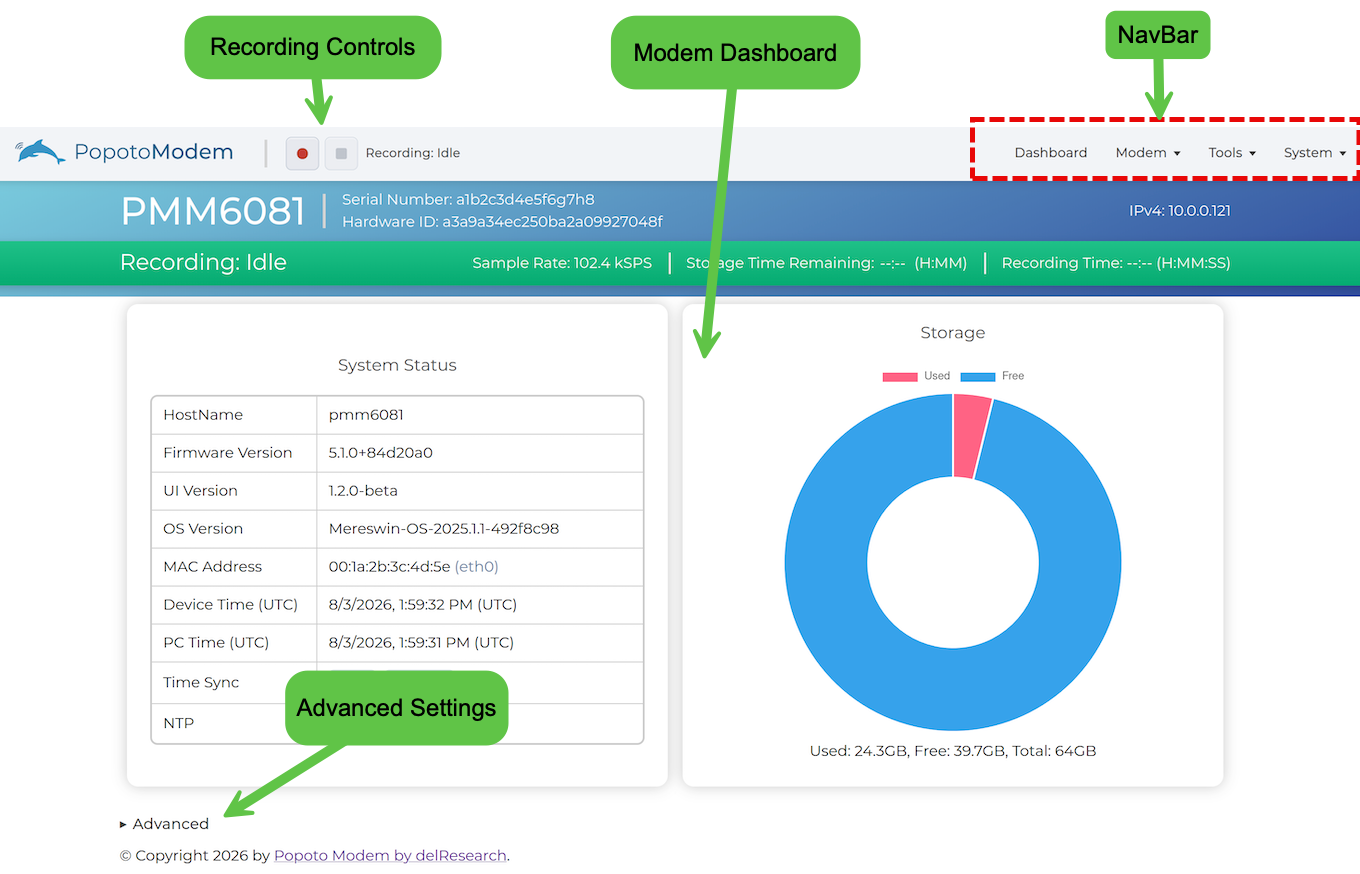
The Main Screen of the Popoto Web Interface is shown in the following figure.
- When you launch the Web UI, it opens to the Dashboard for the modem.
- Use the NavBar on the top-right of the screen to access screens such as the Dashboard and various screens.
- Use the Recording control on the top-left of the screen to start and stop recording waveforms.
NavBar
The NavBar at the top right includes the following menus and options to access screens:
- Dashboard - Access the Dashboard screen.
- Modem - Access Comms and Image Streaming screens.
- Tools - Access Recordings and Signal Monitor screens.
- System - Access Setup and Licensing screens.