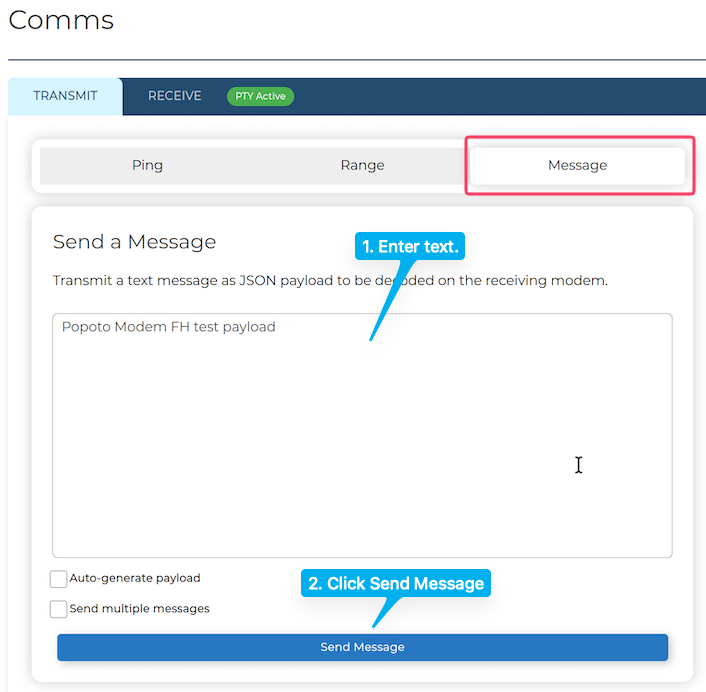
OperationsPopoto Web InterfaceCommunicationsTransmitting MessagesSending a MessageSending a Message To send a message: Click Modem on the NavBar then select Comms. In the Comms page, click the TRANSMIT tab then select Message. Enter your text in the message input field and then click the Send Message. Web UI Send Message.