Monitoring the Acoustic Signal
The Signal Monitor (or spectrogram) is useful for confirming which signals are present, as well as the amplitude and frequency ranges of any environmental noise. A visible signal with no decoded payload commonly points to incompatible modem settings, low signal quality, interference, or an incorrect receiver configuration.
To view live spectral activity:
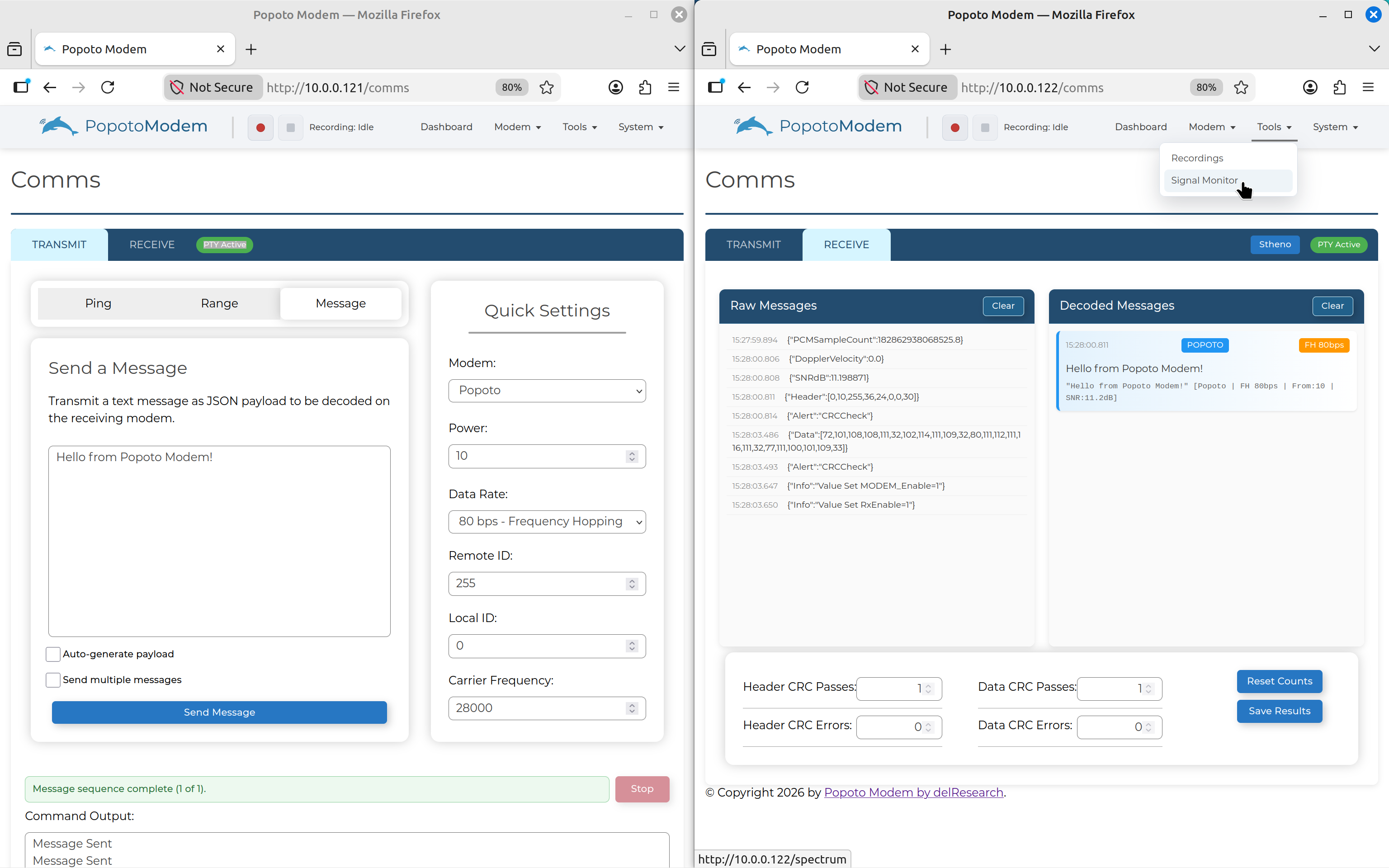
- On the receiving modem, click Tools on the NavBar then select Signal Monitor.
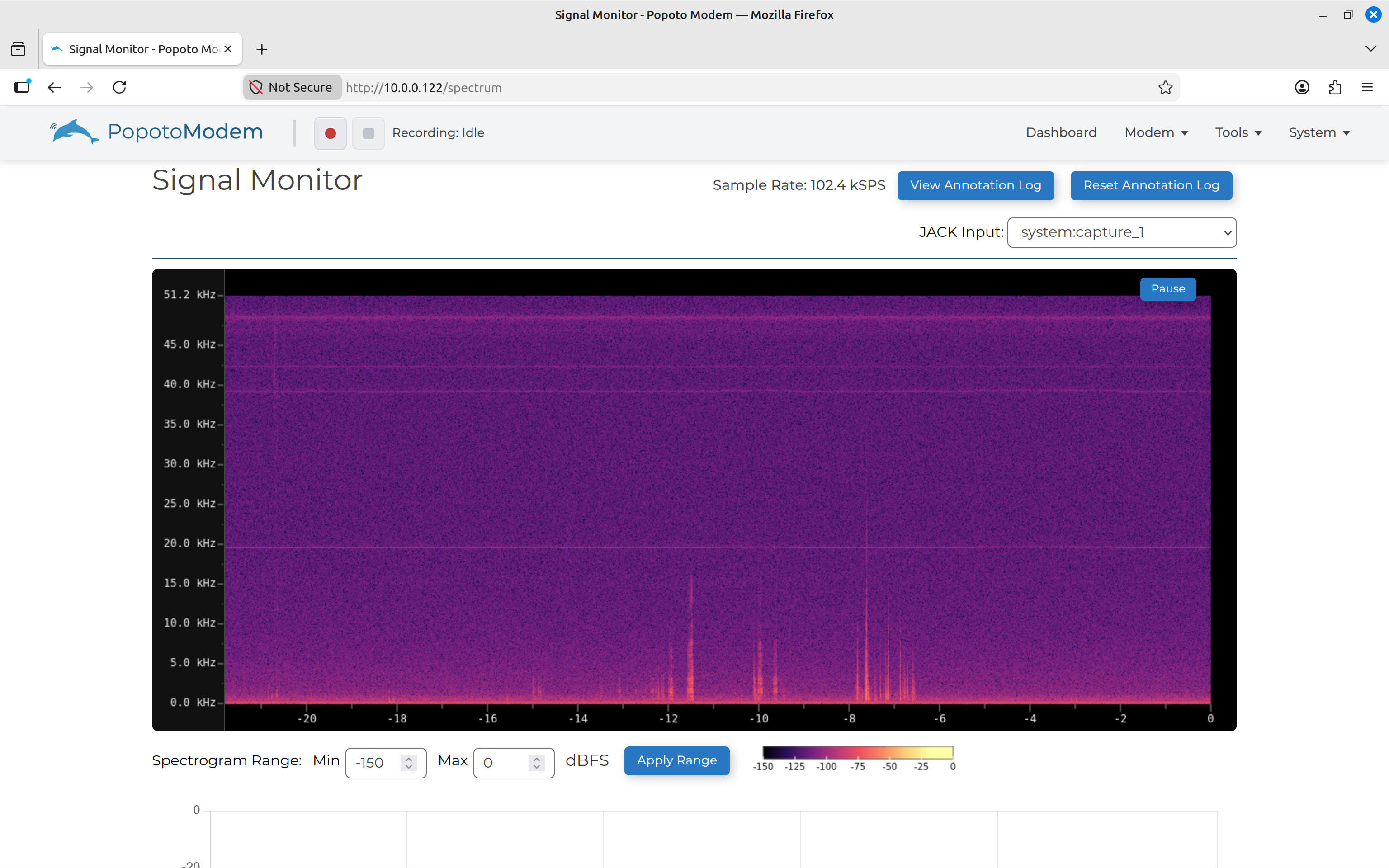
The Signal Monitor screen displays a live spectrogram. An idle channel normally shows only the background noise floor.
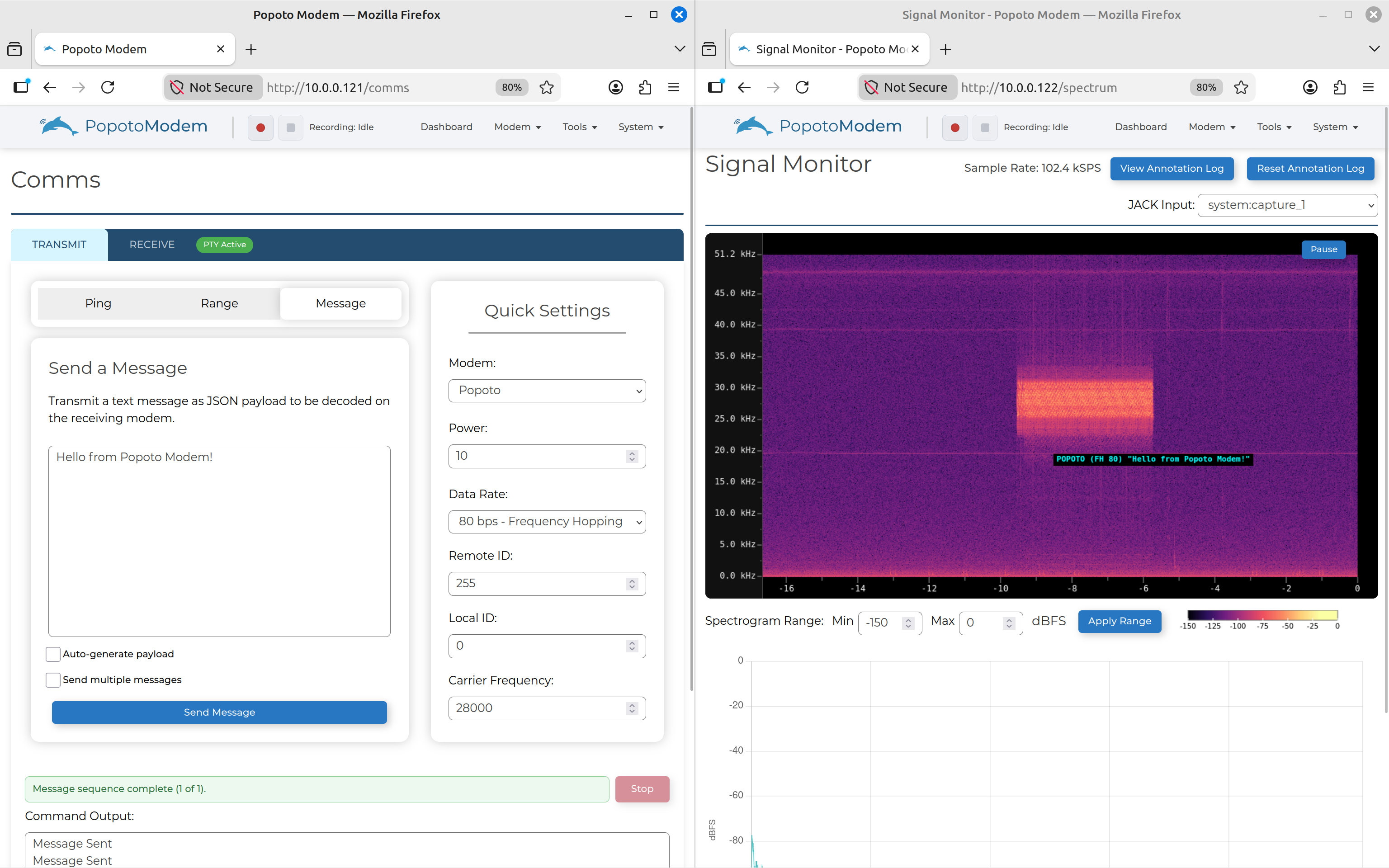
- Send a message from the transmitting modem. The transmission appears as a bright block in the spectrogram at the configured carrier-frequency range. It also annotates decoded messages as they are received in real-time.