Advanced Connection Settings
You can change or view advanced connection settings shared by the discovery and flashing workflows.
note
Most installations should keep the built-in Popoto secret and default timeout.
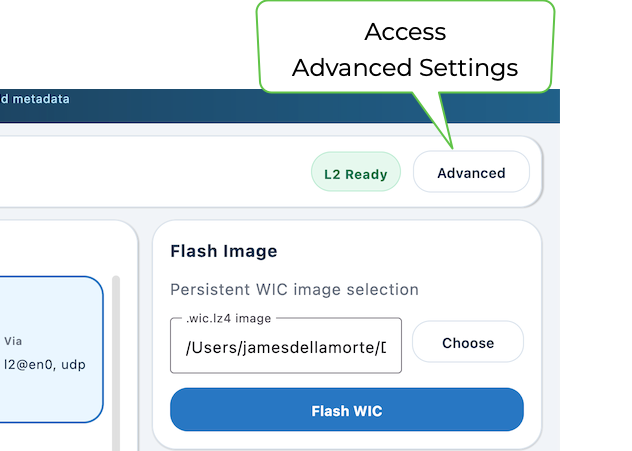
- Click Advanced in the top-right corner of the main screen.
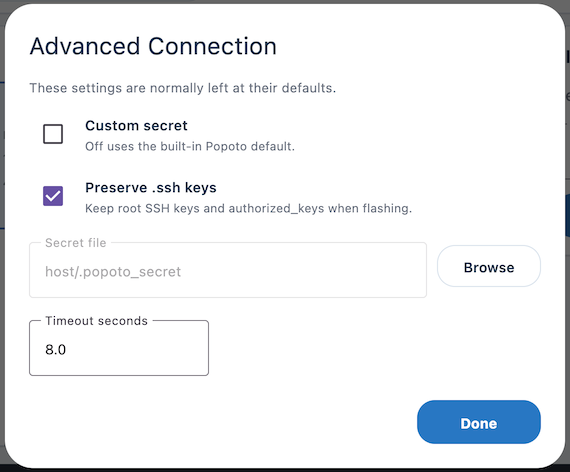
The Advanced Connection dialog box displays:
- Make selections as desired.
-
Custom secret - A custom secret is required only when the modem fleet has been configured with a matching non-default secret.
-
Preserve .ssh keys - Select to retain the root SSH host keys and authorized_keys during a flash, avoiding unexpected host-identity changes and preserving administrative access.
-
Secret file - Click Browse to select a custom secret file.
-
Timeout seconds - Increasing the timeout can help on slow or noisy links, but it also makes genuine connection failures take longer to surface.
- Click Done to apply settings.