Discovering a Modem
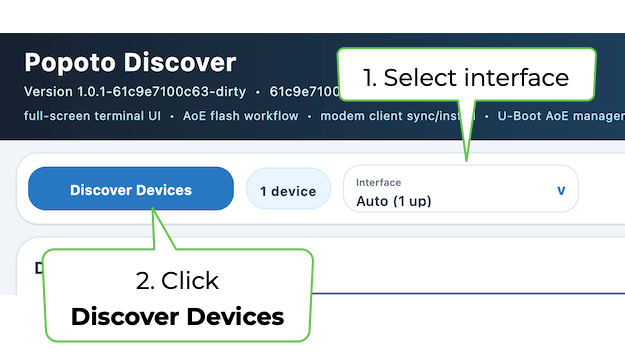
- Select an interface from the Interface drop-down menu and click Discover Devices to scan the selected host interface for Popoto modems.
The interface selector supports automatic detection or an explicit interface such as en0. Pinning the interface is useful on engineering workstations with Ethernet, Wi-Fi, VPNs, and virtual adapters, where automatic routing may not match the physical network connected to the modem.
The default Auto interface is recommended when only one suitable interface is up. The Interface drop-down list can pin discovery to a specific adapter when the host has multiple network paths.
- Click Discover Devices.
The Discovered Devices pane displays a snapshot of the modem's identity and operating state, including:
- Device ID
- Serial number
- IP and MAC addresses
- Firmware version
- Battery voltage
- Storage usage
- Transport through which the modem was disovered
Modem checkbox - Select the checkbox for a modem to apply actions. This matters particularly for destructive operations: selection, not merely visibility in the results list, determines which unit is changed.
L2 Ready - The L2 Ready indicator confirms that the host is ready for link-layer communication.
Log Pane - The log pane records discovery and command results and is the first place to look when a device does not appear or an operation fails. Click Clear Log to clear the log pane.