Installing the Client
There are two related client-management paths.
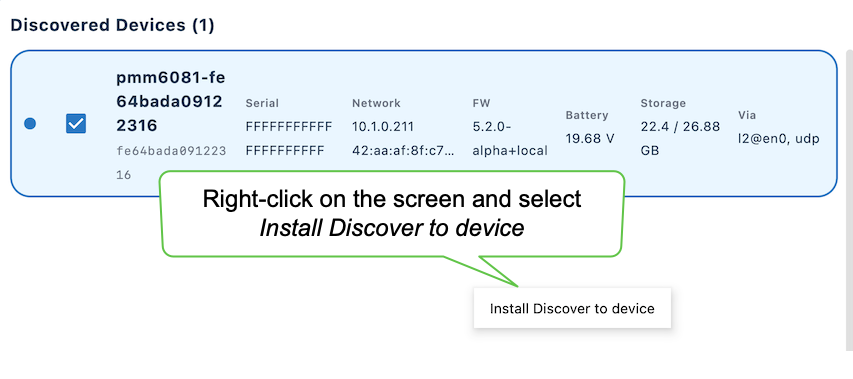
Right-clicking a discovered modem dispalys two options:
- Sync Popoto Discover client - refreshes the client on a device already participating in discovery.
- Install Discover to Device - for a modem that is reachable over SSH but does not yet appear in discovery.
Need screen shot and info on Sync Popoto Discover Client.
Install Discover to Device
- Right-click on the screen and select Install Discover to Device.
- Enter information in the Install Discover to Device dialog box and click Install Discover.
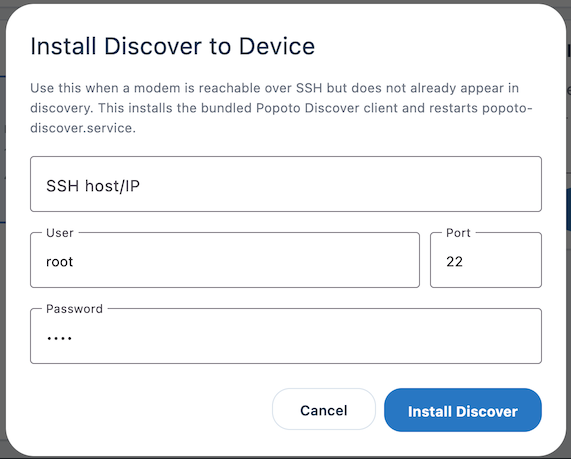
The SSH install dialog collects the host, user, port, and password. The application connects to the modem, installs the bundled Discover client, and restarts the client. This bootstraps the service that lets the modem participate in subsequent discovery and management operations.
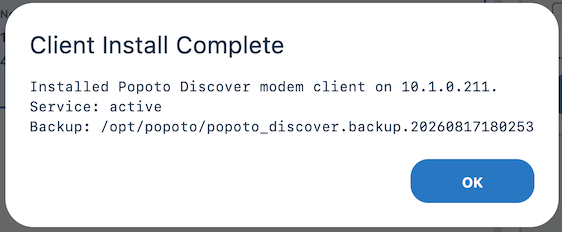
The Client Install Complete dialog confirms the destination, reports that the service is active, and records the backup path for the previous client. That backup provides a rollback artifact if the newly installed client does not behave as expected.
-
Click OK to lose the dialog box.
-
Run discovery again and confirm that the modem reports correctly.