Change Settings
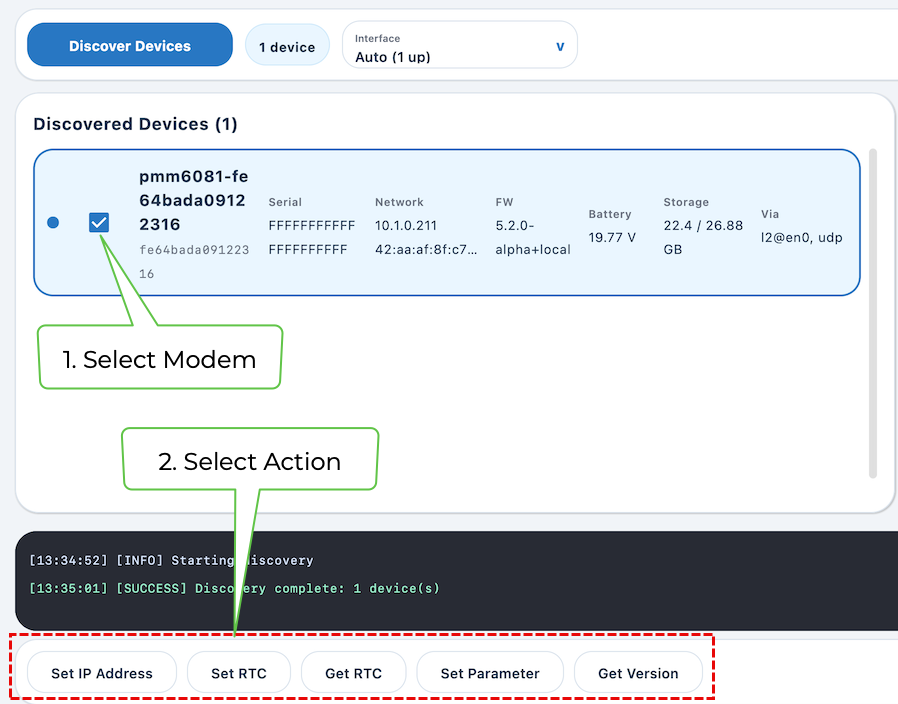
Once a modem is selected, the actions along the bottom operate on that target.
The Get Version and Get RTC panes are read-only checks. The remaining actions send configuration changes to the modem.
-
Select the modem checkbox.
-
Click the desired Action button along the bottom of the screen.
Set IP Address
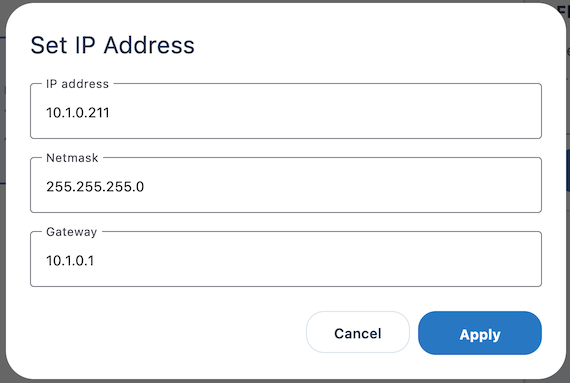
Set IP Address writes the IP address, netmask, and gateway as one configuration operation. You should validate the values against the deployment subnet before applying them.
An incorrect address or gateway can make the modem unreachable at Layer 3 even though Layer 2 discovery may still work.
Get RTC
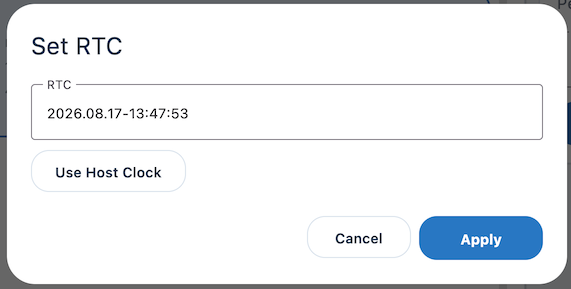
Note that the button says Get RTC but the dialog box says Set RTC.
Get RTC accepts an explicit timestamp or copies the host clock. Synchronizing the RTC is useful before collecting logs or validating time-sensitive behavior, because it keeps device events aligned with events observed on the engineering host.
Set Parameter
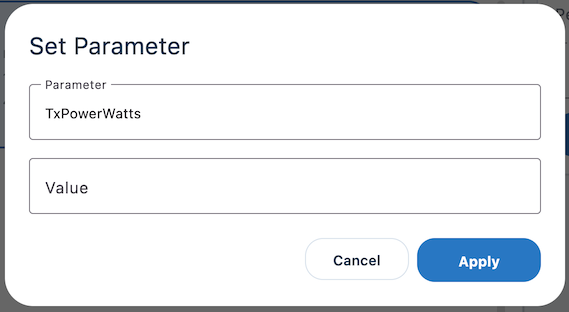
Set Parameter is the generic path for named modem configuration values, such as TxPowerWatts. Unlike the purpose-built IP and RTC dialog boxes, this dialog box assumes the engineer knows the supported parameter name, data type, and valid range.
A successful transport-level response is not validation that an arbitrary value is operationally appropriate.
Get Version
Need info